
 Fuel Theft Monitoring
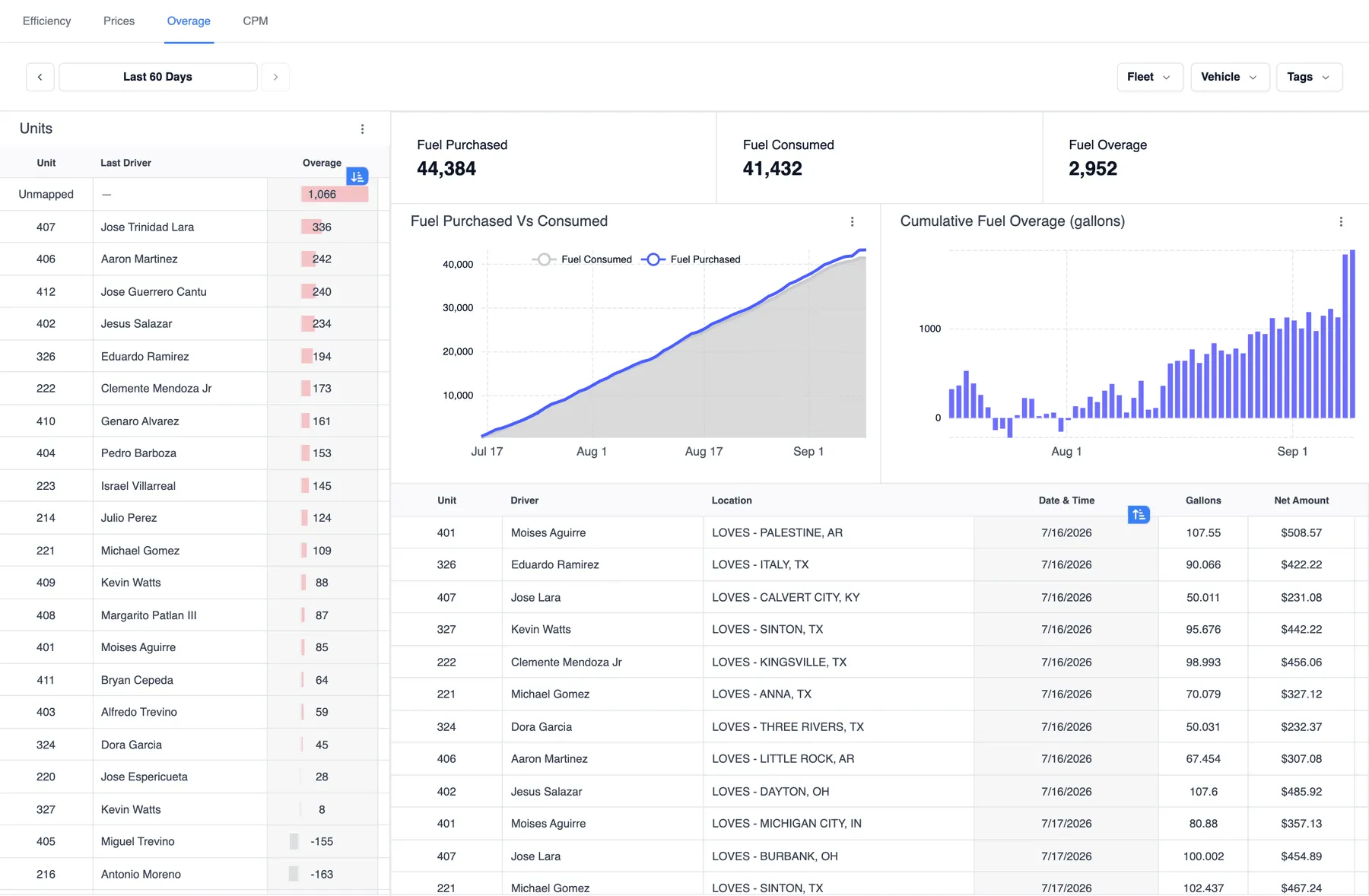
Monitor every gallon purchased and consumed
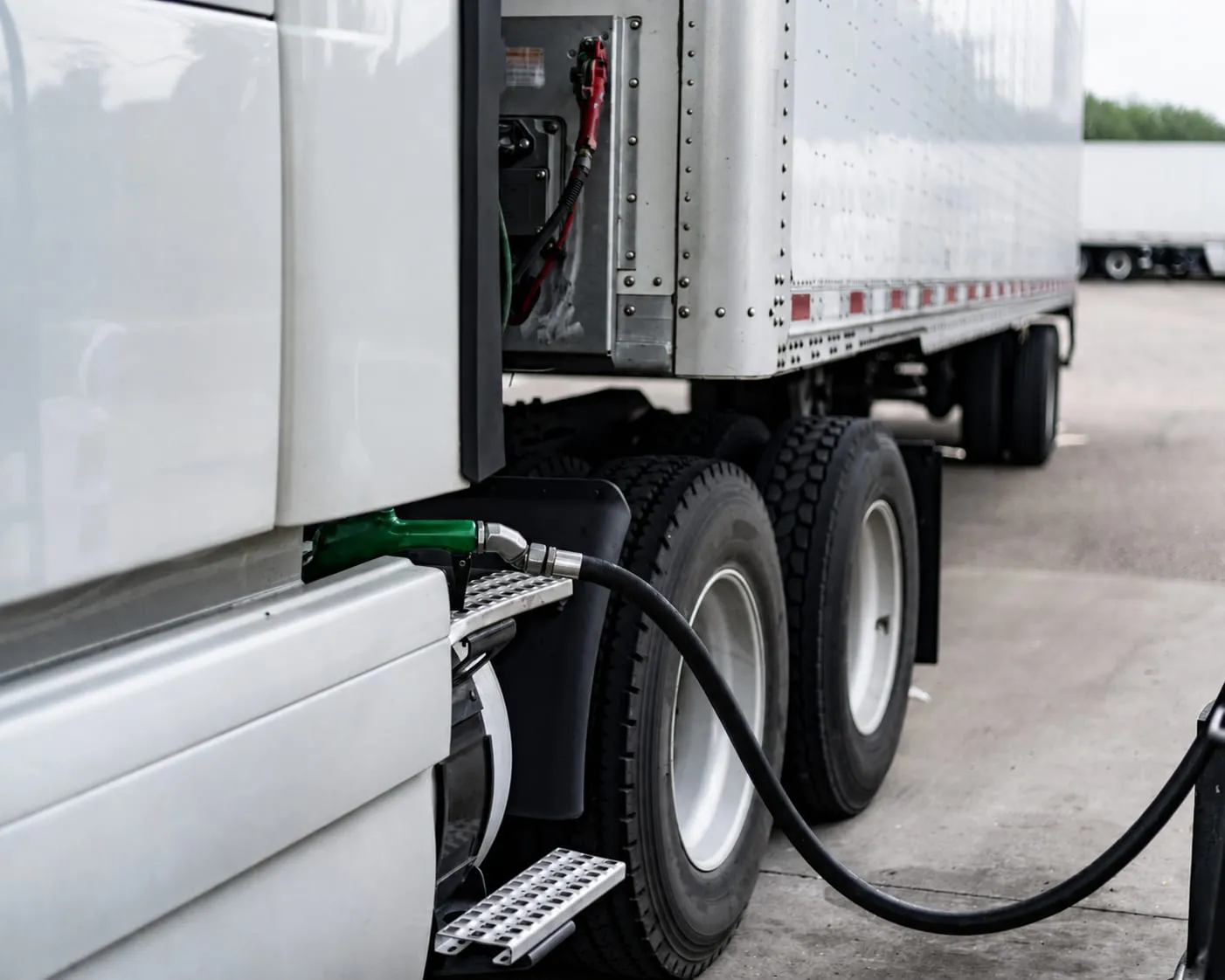
Once a driver fuels, Fueling Performance checks the transaction against the vehicle's GPS location and tank level, so you know every gallon purchased actually goes into the truck, and every gallon is actually consumed.
Stop Fuel Theft Before It Adds Up
The cost of not checking
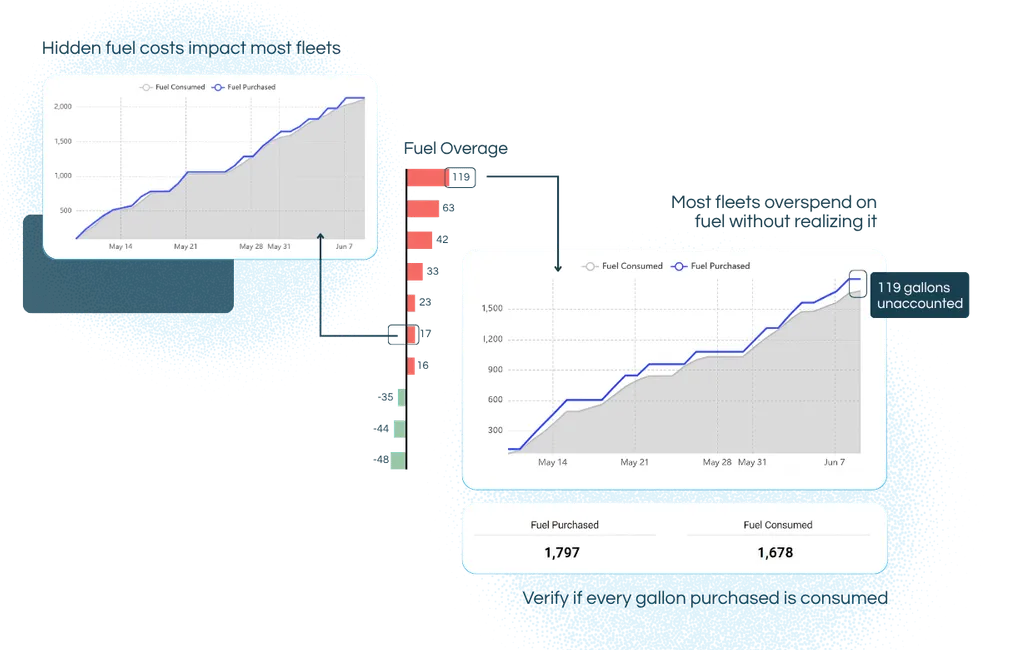
A few unaccounted gallons today might be a six-figure leak by year end
Card theft, skimming, and slip-seating quietly drain fleet budgets. Without transaction-level verification, fuel fraud hides inside numbers that look normal, until the losses add up trip after trip.
What you get
What You Get With Fuel Theft Monitoring
Three checks on every fuel-card transaction, and the history to show where the gallons went, by vehicle.
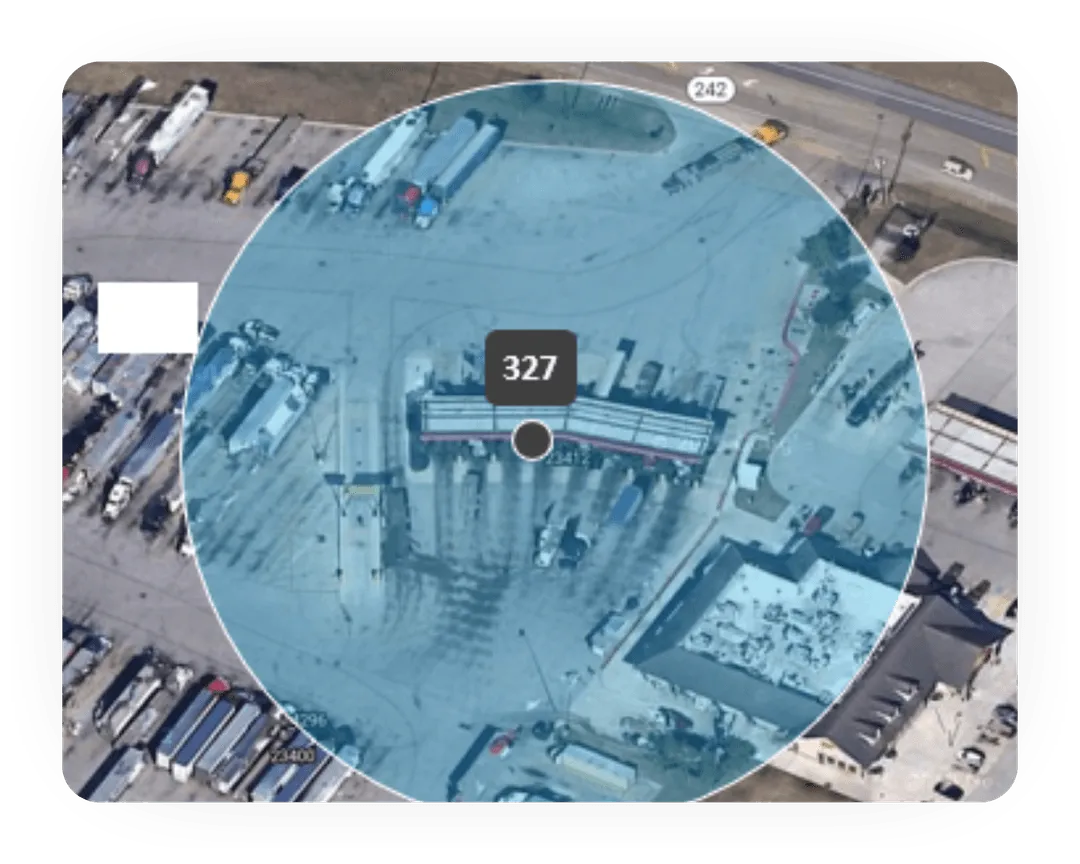
Location verification on every transaction
Every fill-up is matched to the vehicle’s GPS position at the moment of purchase. No truck at the pump? It goes straight to the review queue.
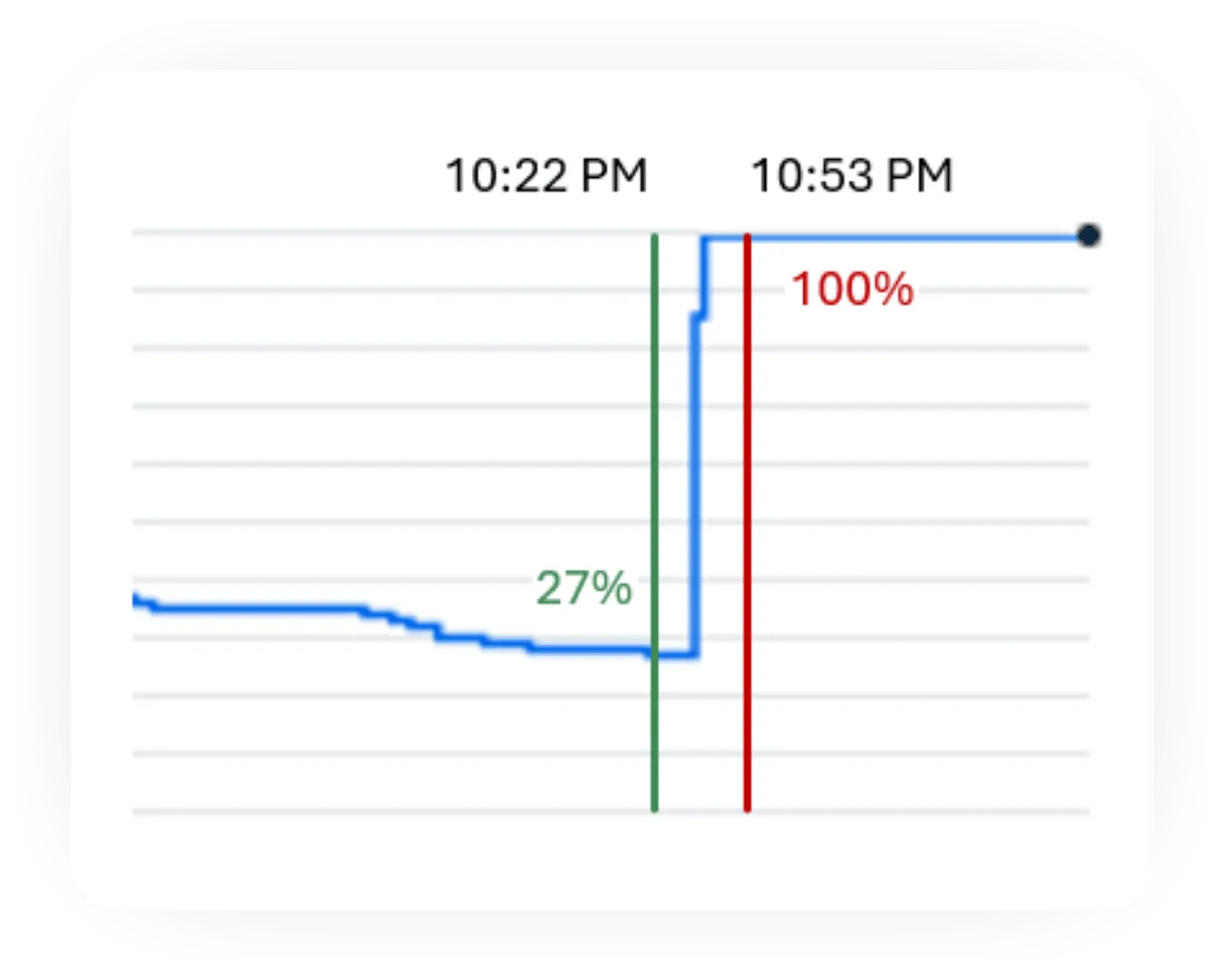
Tank-level reconciliation, gallon by gallon
The gallons on the receipt are checked against the rise in the tank. A mismatch, or no tank data at all, is flagged for review.
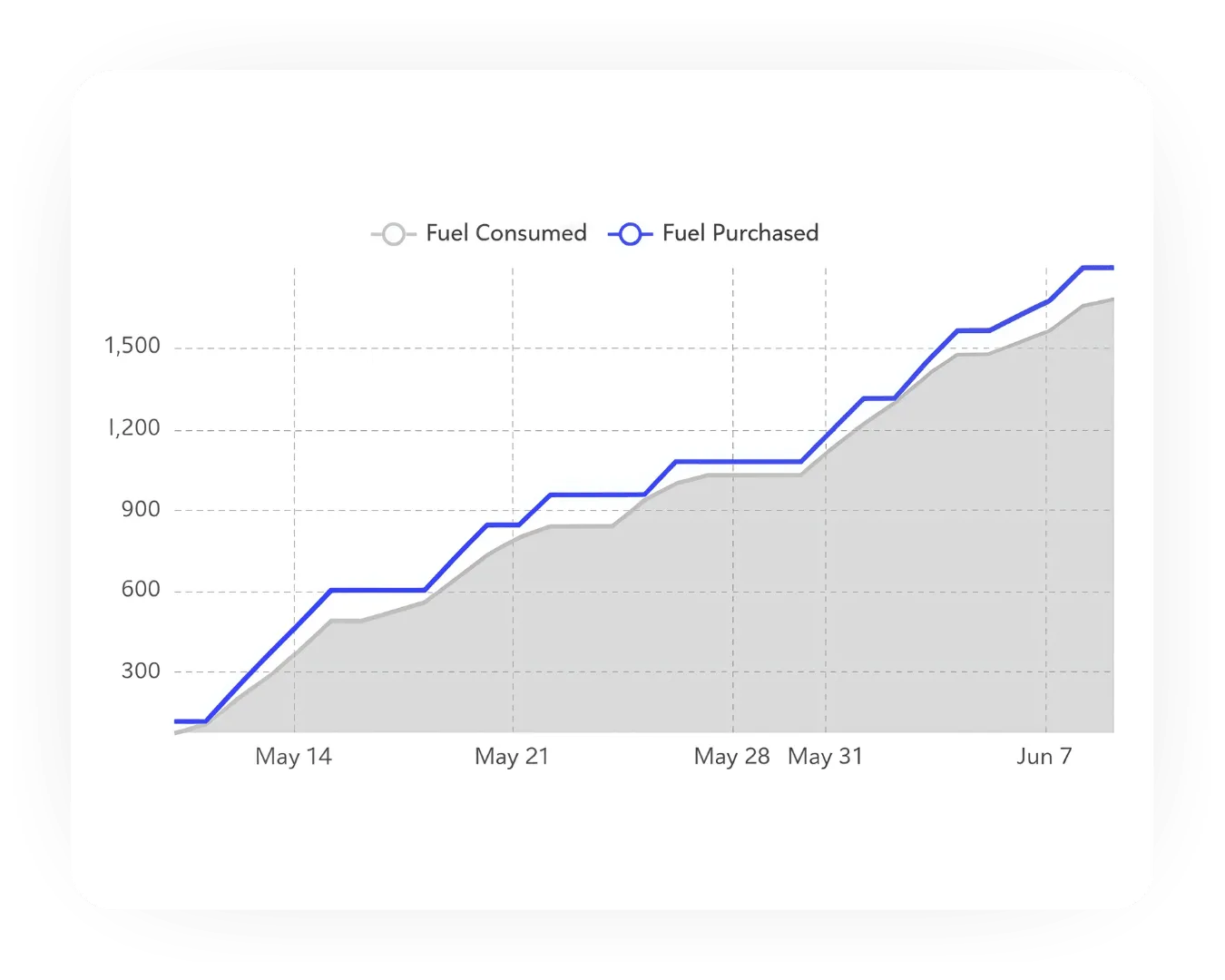
Fuel overage alerts
Purchased versus consumed, by vehicle and over time, with recurring overages ranked by unit so the repeat offenders surface first.
How it works
Every Transaction Tripled Verified
Fueling Performance checks every fill-up against where the truck was, how much fuel it actually took on, and whether that fuel was consumed, closing the gaps where fraud and slip-seating hide.
If anything doesn't line up, it's flagged immediately and routed for review.
3 checkpoints, every transaction:
 Location
Is the truck at the pump?
Verified against vehicle GPS, so fuel goes into the right truck.
 Tank level
Did the tank fill up?
Gallons purchased are checked against actual tank levels.
 Consumption
Was every gallon used?
Overages are flagged, fuel stays on lockdown.
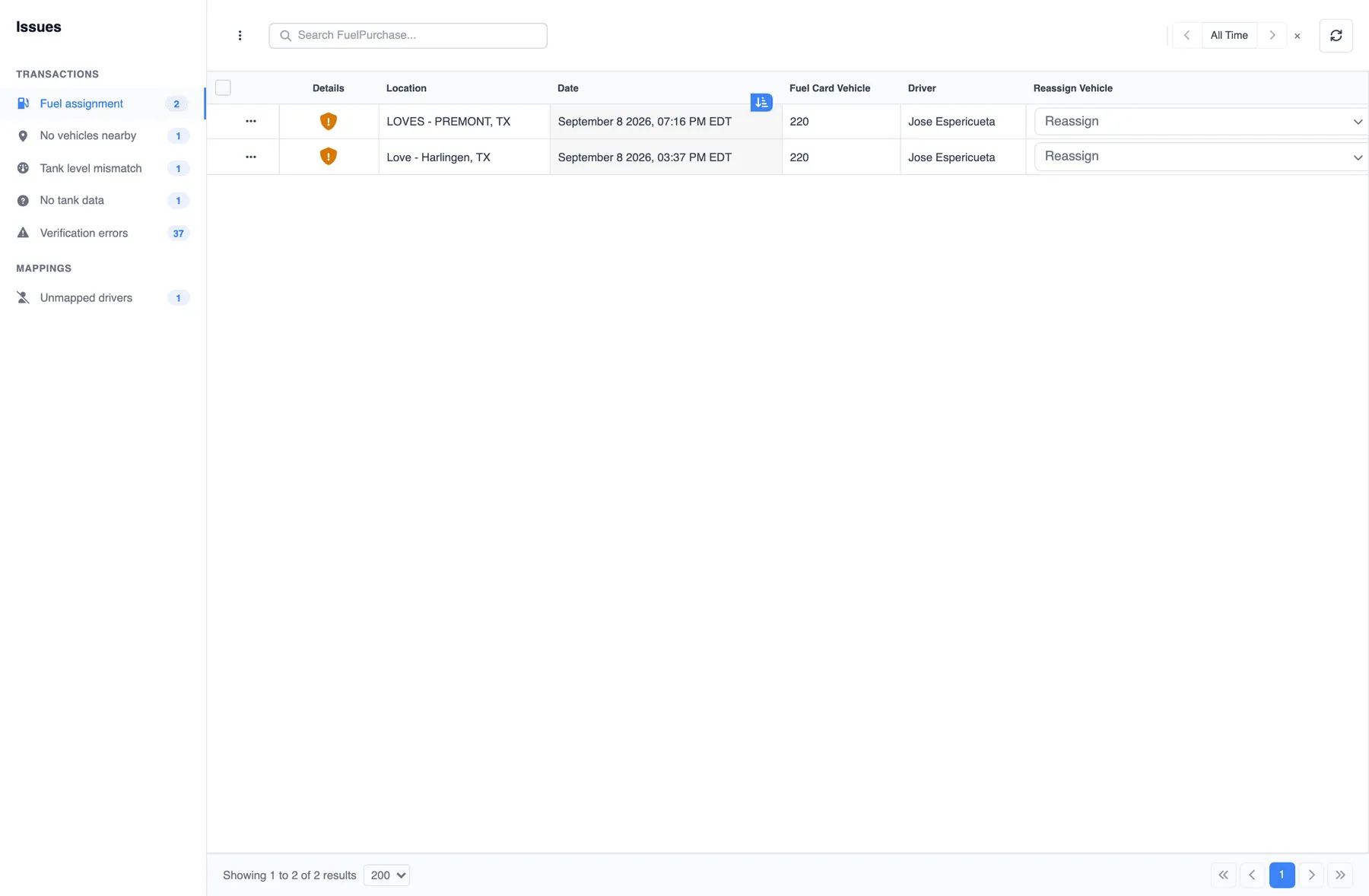
Fraud detection
Fuel fraud can look normal on a receipt.
Fuel card misuse, suspicious purchases and fuel that never reaches the tank can be difficult to spot. Fueling Performance compares transaction and vehicle data to flag them.
Fuel theft and fraud accounts for at least 2–3% of fuel spend, a 1% reduction alone can translate to real savings across your fleet
AI agents
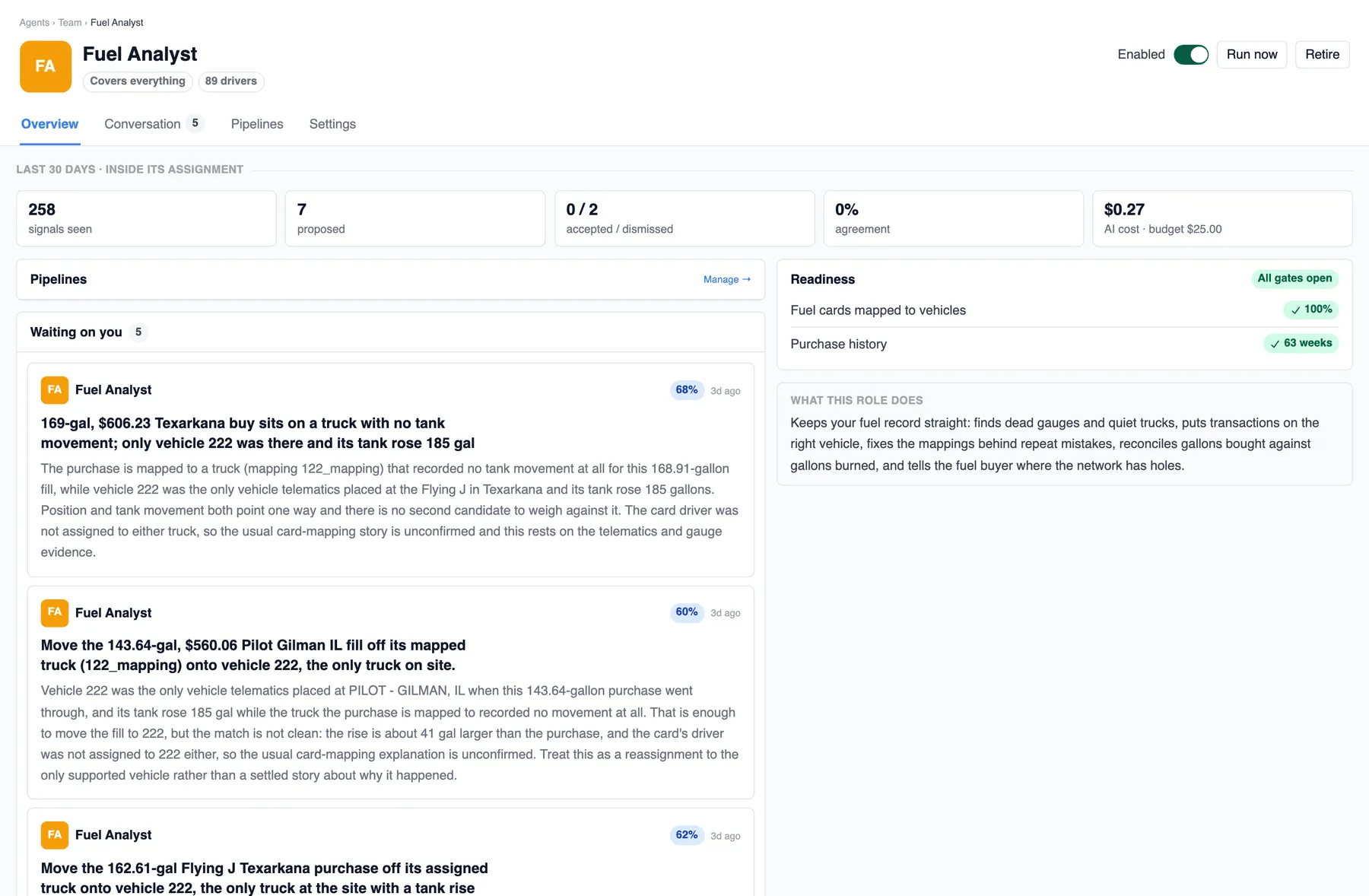
Your Fuel Analyst agent works the queue
Keeps your fuel record straight: finds dead gauges and quiet trucks, puts transactions on the right vehicle, fixes the mappings behind repeat mistakes, reconciles gallons bought against gallons burned, and tells the fuel buyer where the network has holes.
Hire it, scope it to the whole fleet or a single tag, and it starts in Shadow: it runs and decides but tells no one, so you see how often you would have agreed before it proposes a thing. Every suggestion carries a confidence %, the evidence it read, a “Before you act” list of caveats, and a typed product action, reassign a purchase or fix a mapping, never a raw edit.
Fuel Analyst tasks behind these checks
- Wrong truck on the ticket
- Gallons that never made it into a truck
- Bad tank sensor
- A card mapped to the wrong truck
- Reefer fuel the hours cannot explain
- Off
- Shadow
- Suggest
- Approve
- Auto
Every hire starts in Shadow. Nothing without an undo goes past Approve, and a product update never moves a task up the ladder.
Next step
Book time to review your fuel operation
Walk through your fleet data and identify where cost, loss, and efficiency can improve. Use our Calendly scheduler to pick a time that works for you.